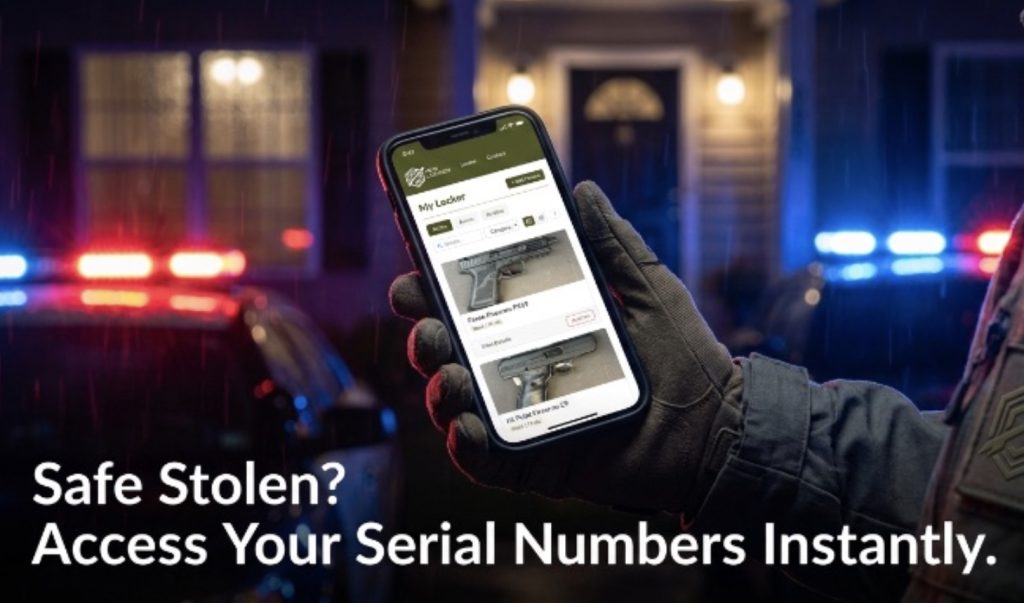
If keeping track of your firearms has become a hassle, congratulations—you own enough guns. OK, whatever the amount, it’s still not really enough, but keeping track of your guns—their serial numbers, values, any accessories that have been added—can be a royal pain in the backside.
Traditionally, people have relied on either a written log or a spreadsheet on their computer. They work, but they’re not necessarily ideal.
Recently, Shawn Herrin—of We Like Shooting podcast and Firearms Radio Network fame—launched Pew Locker, a secure, online management system to catalog your firearms. And it’s affordable.
Pew Locker offers secure gun inventory software that keeps your data encrypted with tools that go well beyond a basic template. For instance, Pew Locker offers specific tools for logging your NFA items, the associated tax stamps, and ballistics data for each firearm.
As someone who now has enough guns to worry about properly managing their information, I was immediately intrigued when I read Shawn’s post on LinkedIn. I reached out to him for some more info and how to get started.
Pricing
Pew Locker offers a free option limited to just three items. That gives you a good look at how it works and I initially signed up at the Basic level.
To handle more guns, you can sign up at a $7-per-month rate. You can cancel at any time and there are no long-term contracts to worry about. And yes, you get to inventory an unlimited number of items.
The last option, which I think makes the most sense, is the Lifetime level with its one-time payment of $99. If you need to manage your inventory for a short period of time, I’d look at the monthly option. For anything beyond 14 months, just go ahead with the lifetime option.
Authenticated Encryption Security
Naturally, the first concern is with security of your information and data. We all know that, and so does Pew Locker. The platform is designed with a “privacy first” architecture, “prioritizing data sovereignty and cryptographic isolation.”
The key to the security is its Authenticated Encryption. Pew Locker does not store your serial numbers, beneficiary information, or firearm values in plain text. Authenticated encryption guarantees two things at once. First, only someone with the key can read the message. Second, the message cannot be altered, forged, or replayed without detection.
Instead of traditional Advanced Encryption Standard (AES) block ciphers, Pew Locker utilizes Sodium Authenticated Encryption, which uses a 256-bit key that cryptographically guarantees data integrity.
Instead of encrypting first and then separately adding a MAC (Message Authentication Code), Sodium’s Authenticated Encryption does both in one safe operation.
I encourage you to review Pew Locker’s entire security statement to address any further concerns you might have.
I get it, though. For some, no amount of encryption will satisfy security concerns. Even writing it down on paper is an issue. Luckily, those people probably already know exactly how many steps, in which direction, from what tree, they buried some gun they don’t recall ever owning, but if they did own said gun it was probably the one lost in that boating accident.
Inventory Features
What interested me the most about Pew Locker was the ability to go deeper than model, caliber and serial number.
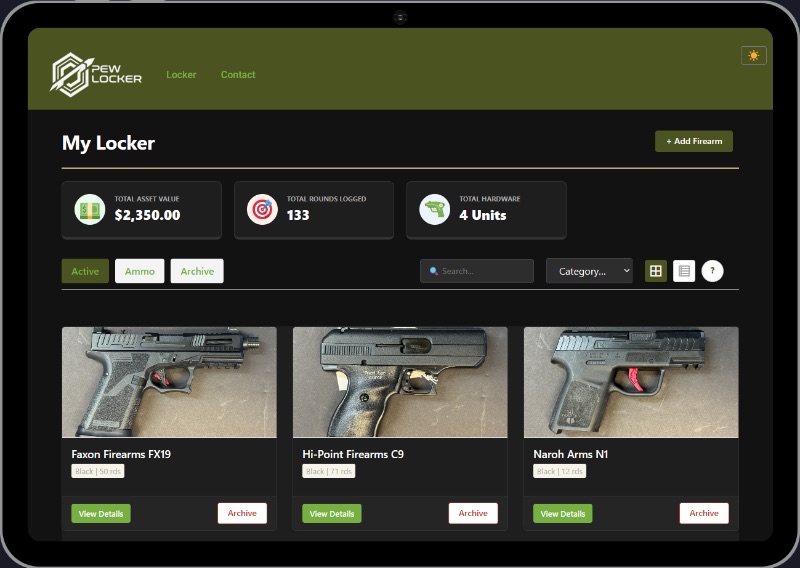
Adding an item to your locker is simple. When you click on +Add Firearm it asks you for Make, Model, Serial Number, Caliber, Type of Firearm (Pistol, Rifle, Revolver, etc. including SBR, SBS and Suppressor), Color, Year of Manufacture, and Country of Manufacture.
You can also upload a photo of that specific firearm or NFA item. Something I definitely plan to take advantage of.
From there you can write a description, as detailed as you like. You can then record the Value. If you’ve ever spent time in a gun store and seen someone bring in a gun not knowing its value, you know how important this field is.
Finally, you can enter Widow’s Instructions to either sell, keep for family, or gift to. And there is a Beneficiary field to fill out if you intend to pass it on to a family member or gift it to a friend.
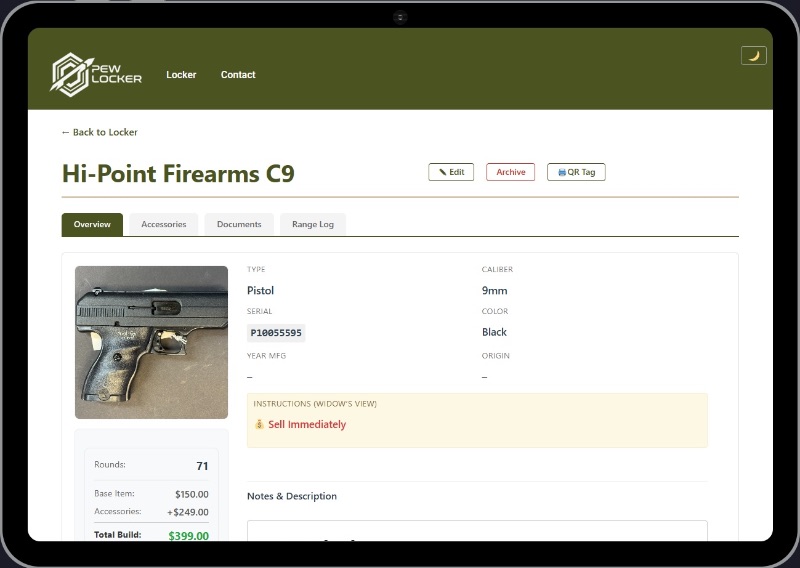
Being able to provide clear, direct instructions on how to dispose of my firearms after my passing is one of the features that interested me the most. It’s a much better system than leaving my sister (the lawyer) a note saying, “Call John Doe. He’ll know what to do with the guns.”
Once you’ve saved the firearm you can add accessories associated with that gun. For instance, I can list a Viridian RFX25 Green Dot and its cost, then click Add to include an Apex Forward Set Trigger Kit and its cost. For AR-style rifles this is a great feature for cataloging all your add-ons.
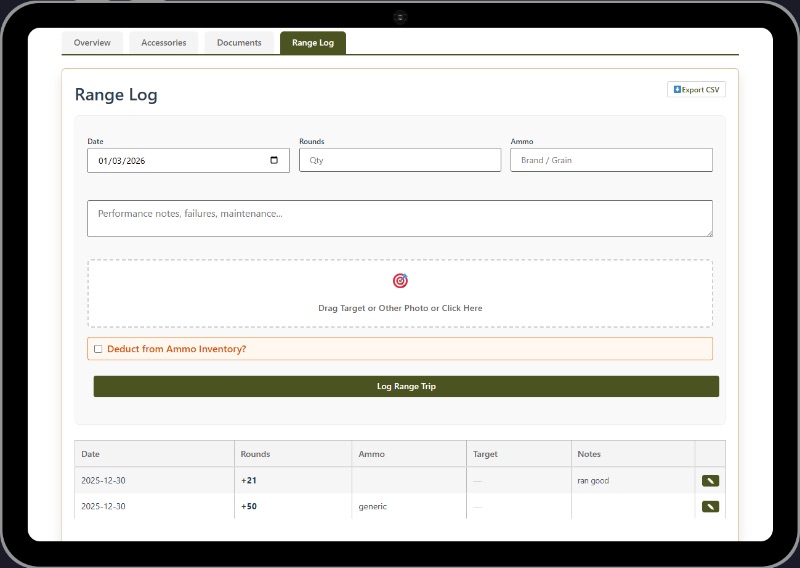
You can attach the appropriate documents specific to the firearm or NFA item. And you can add entries to the Range Log for the gun, noting date, round count, ammo, and performance. You can even upload your target.
Pew Locker also allows you to load your ammo supply, and through the Range Log feature you can draw from that 2,500 rounds of 9mm 115gr ‘Winchester White Box’ you use for each range day.
The final feature worth noting is called the Burn Notice. It is exactly what you think it is. You hit that button, confirm you want to proceed, and like Hillary Clinton’s server, it gets wiped clean. You go from an entire catalog of guns to “I don’t know what you’re talking about.”
This button might also be called ‘Filing for Divorce’…I’m just guessing.
Why You Should Consider Pew Locker
If you own a good number of guns, an inventory catalog and management system makes a world of sense. This could be particularly useful for those in the firearms media and ‘influencer’ sphere.
For us, not every gun goes into our permanent collection, and has to be returned. Noting a firearm as a T&E gun, and it’s associated call-tag, makes managing the return that much easier. Not to mention the ability to keep track of the various ammo options you’ll use for testing guns.
The overall cataloging and ability to note the disposition of each firearm, should the worst happen, is what I like about the platform. It’s intuitive, and easy to use—I like this too.
Knowing a true gun guy put together what he’d want to use gives me confidence it probably has everything I might want or need. Check out Pew Locker—I think you might like it.
“Why You Should Consider Pew Locker”
No way in HELL will I ever trust anything digital for data as critical as that.
Hard copy paper for me, distributed to several off-site trusted backup locations. If the place burns down to the slab, I will still be able to access that data on MY terms…
Moronic.
Thanks but no.
I’m already set with spreadsheet tracking. I know the file format is well supported across various software tools so I’m not locked into a particular vendor, and it’s also proof against the current software I use going unrunnable (e.g. due to hardware changes) or being abandoned by the developer.
My data are also stored locally. If I choose to use a cloud service for multiple devices access, I can, but I want to be the one to make that choice. Seems here I have no choice but to store my data on someone else’s computer. So there’s an additional going-out-of-business risk to being able to access my data, in addition to the above.
From the web page there is no information about whether I can choose local storage or not … or even simple things like which computing platforms are supported.
I appreciate the innovation attempts, I really do, but there are too many red flags here.
hahaha almost had to check the date.
i know my three numbers by heart.